



Overview
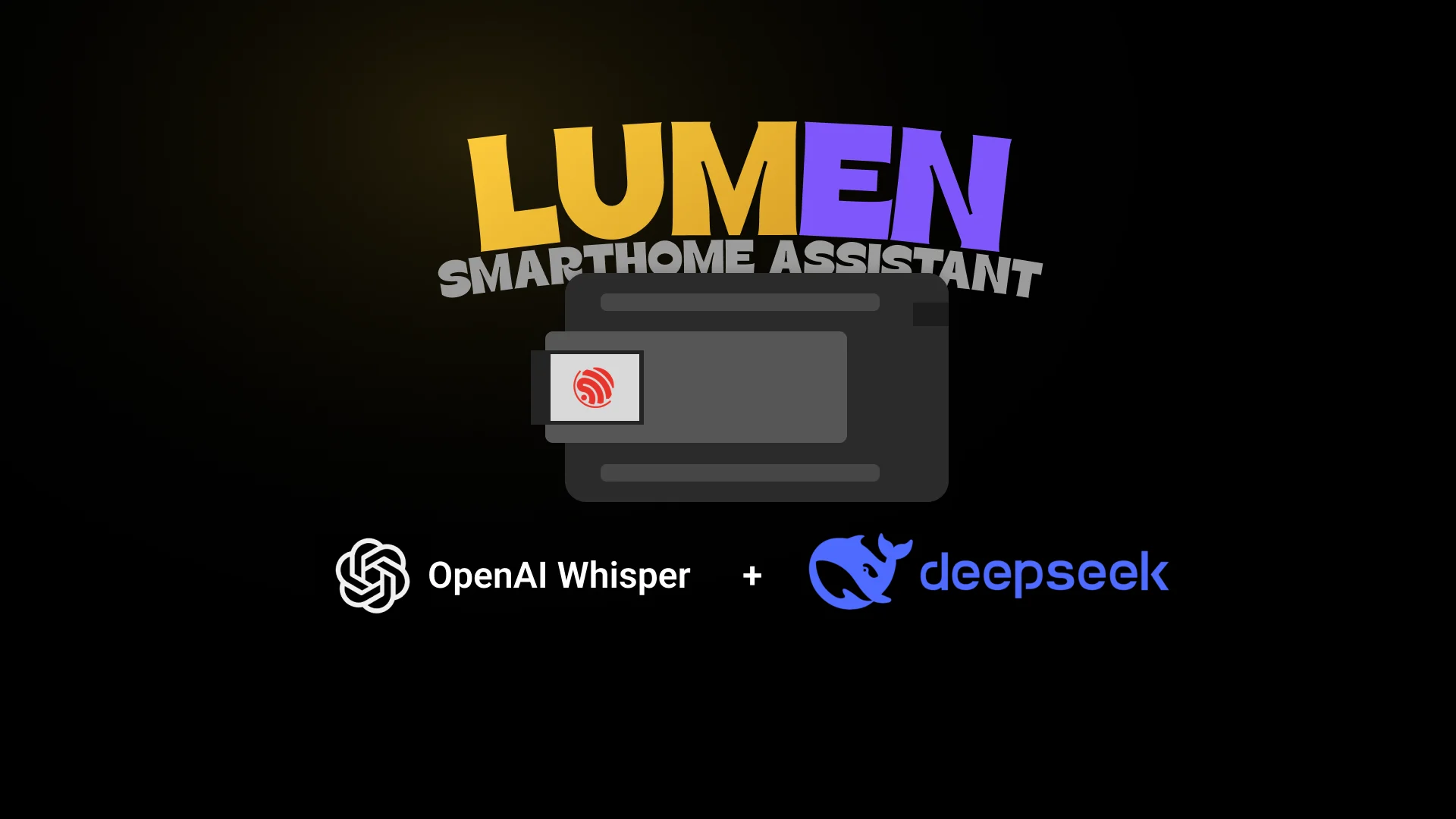
LUMEN is my Mini Project for NYP's IoT Programming module. The brief was open: build a connected device that does something useful. I wanted to see how far a cheap ESP32 could go if I gave it real language understanding instead of a fixed list of commands, so I built a smart-room assistant you actually talk to.
It listens for a wake word, records what you say, and turns plain English into actions: “dim the light a bit,” “turn the fan on in ten minutes,” “set the brightness to match the humidity,” “good night.” The intelligence lives on a small server; the ESP32 stays a lean, reliable pair of ears and hands.
Try it
Here is the whole loop in miniature. A phrase comes in; it travels the same path the real system uses (trigger, then Whisper for speech-to-text and a DeepSeek LLM that parses it to one JSON command, both reached through OpenRouter, then MQTT out to the device); and the room reacts. Pick a phrase, or let it cycle.
“Set the light to cyan and turn the fan on a second later.”
The last two phrases show the guardrails: a question is answered from live sensor data and takes no action, and an impossible request is politely refused. The ESP32 only ever trusts validated JSON.
How it works
The golden rule of the whole design: the ESP32 does almost no thinking. It records audio and executes commands. Everything heavy (speech-to-text, the language model, logging) happens on a FastAPI server running in Docker on my homelab; the board just talks to it over the local network.
A trigger (the “Hello Robot” wake word, or a push-to-talk button as the reliable fallback) starts an INMP441 microphone capturing 16 kHz mono audio. The board wraps it as a WAV and streams it to the server's /upload endpoint. From there the server calls OpenRouter for both steps on a single API key: Whisper transcribes the audio, then a DeepSeek model turns the text into one JSON command under a strict system prompt. The server validates that JSON and publishes it to an MQTT topic the ESP32 subscribes to. The same result is appended to a Google Sheet for logging, with an estimated cost per request.
One detail that makes the answers feel smart: the server also subscribes to the room's state and sensor topics and caches the latest values, then feeds them to the LLM as context. That is how “what's the temperature?” or “is the fan on?” get answered from real readings rather than guesses.
The voice pipeline, step by step
- Trigger. You say “Hello Robot” or hold the push-to-talk button.
- Record. The INMP441 captures about three seconds of 16 kHz mono audio; the red REC LED stays lit for the whole capture.
- Wrap & upload. The raw PCM gets a 44-byte WAV header and streams to
/uploadas it is recorded. - Transcribe. The server sends the clip to OpenRouter, where Whisper turns the audio into text.
- Add context. The transcript plus a live snapshot of device state and sensor readings goes to the model.
- Parse. A DeepSeek model (also via OpenRouter) returns one JSON command, validated against the schema (retry once, else a safe no-op).
- Fan out. The server publishes the command to MQTT and appends a row to the Google Sheet.
- Execute. The ESP32 receives it, acts on it, and shows the spoken reply on its OLED.
The brain: turning language into one command
The model never controls a device directly. Its only job is to convert one sentence into exactly one of three JSON shapes, and nothing else:
- action — a single change. “Turn the fan on,” “set it to cyan.”
- sequence — ordered steps, each with a delay from the moment you spoke. “Lights off, then fan off a second later.”
- timer — one change after a countdown. “Light off in ten minutes.”
The request does not even have to be in English. Because the audio passes through Whisper first, LUMEN transcribes and understands many languages, then resolves each one to the same JSON vocabulary, so a command spoken in Malay or Mandarin lands on exactly the same action as its English version.
A long, deliberately strict system prompt pins down the device vocabulary (white LED, NeoPixel RGB, fan, servo, buzzer, comfort range, auto-mode), forces valid JSON with numbers as numbers, and maps colour names to RGB itself. Every response is checked against a schema on the server; if it fails, the server retries once, then falls back to a harmless no-op rather than sending the board something it cannot trust.
You are LUMEN, the command parser for a voice-controlled smart-room system. Your only job: convert one natural-language request into ONE JSON command object. Output JSON and nothing else — no prose, no code fences, no explanation.
Context you are given each call
- CURRENT_TIME: {iso8601_local} (timezone UTC+8 / Asia/Singapore)
- STATE: a JSON snapshot of current device state plus a “sensors” object with live readings (temp in °C, humidity %, motion, dark) and the comfort range. Use it to resolve relative requests (“a bit dimmer”, “make it warmer”) and to answer questions about the room (“what's the temperature”, “is it dark”).
Output: exactly one of these three shapes
- action — a single device change.
- sequence — ordered steps, each with delay_ms from the trigger moment.
- timer — one device change after delay_seconds.
Every object MUST include a “response_text”: one short spoken-style sentence confirming what you did, suitable for an OLED line (<= 40 chars ideal).
Devices and allowed actions (never invent others)
- white_led: turn_on | turn_off | set_brightness(value 0-100)
- rgb_led: turn_on | turn_off | set_rgb(r,g,b 0-255)
- fan: turn_on | turn_off
- servo: set_angle(angle 0-180)
- buzzer: turn_on | turn_off | beep(count, duration_ms)
- comfort_range: update(min, max) # degrees C
- auto_mode: enable | disable
- timers: cancel_all | cancel(timer_id)
- none: report | noop # report = answer a question (no action); noop = impossible/invalid (no action)
Rules
- RGB: map any colour name to r,g,b yourself. cyan=0,255,255; warm white=255,200,100; purple=128,0,128. No fixed list.
- “Dimmer”/“brighter”/“warmer light”: read current value from STATE and adjust by ~20 (clamp 0-100).
- SENSOR → PARAMETER: if asked to set a device's numeric value TO a live sensor reading (“set the brightness to the humidity”, “set the light to the temperature”), read that reading from STATE.sensors, round to a whole number, clamp it to the field's valid range, and emit the matching set action. This IS doable — do not refuse it. E.g. humidity 69.5 → white_led set_brightness value 70.
- FAN vs COMFORT RANGE — keep these separate:
- “it's getting warm” / “i'm hot” / “turn on the fan” → action, fan, turn_on. This does NOT change comfort_range.
- “set comfortable range to X to Y” / “make the room target warmer” → action, comfort_range, update. This does NOT touch the fan.
- AUTO MODE — the room's automatic behaviour (motion+dark turns the light on; the fan follows the comfort range). “turn automatic/auto mode on|off”, “enable/disable auto mode”, “stop running the room automatically”, “stop the automatic lights/fan”, “let me control it manually” → action, auto_mode, enable|disable. This only arms/disarms the automation — it does NOT itself switch any device on or off.
- Sequences: first step delay_ms=0, later steps offset from the trigger moment (not cumulative gaps unless that's clearly intended).
- Timers: convert “in 10 minutes” → delay_seconds 600. Give a human label.
- Questions & general knowledge → device “none”, action “report”: put the answer in response_text and take NO device action.
- device/sensor status (“what's the temperature”, “is the fan on”) → answer from STATE.
- general knowledge (“how tall is the Empire State Building”) → answer from your own knowledge. Keep it brief (the OLED wraps ~16 chars/line).
- Invalid / impossible / unsupported, or input you can't parse into any device action (“fly to the moon”, gibberish) → device “none”, action “noop”, with a short response_text saying it can't be done. Take NO action.
- Both “report” and “noop” take no device action; their response_text is shown on screen and the system simply continues.
- Output valid JSON. Numbers are numbers, not strings.
Examples
-> {"type":"sequence","steps":[
     {"delay_ms":0,"device":"rgb_led","action":"set_rgb","r":0,"g":255,"b":255},
     {"delay_ms":1000,"device":"fan","action":"turn_on"}],
"response_text":"Cyan now, fan in 1s."}-> {"type":"action","device":"fan","action":"turn_on",
"response_text":"Fan on."}-> {"type":"action","device":"white_led","action":"set_brightness","value":70,
"response_text":"Brightness set to 70%."}-> {"type":"action","device":"auto_mode","action":"disable",
"response_text":"Auto-mode off."}-> {"type":"timer","device":"white_led","action":"turn_off",
"delay_seconds":600,"label":"10 min light off",
"response_text":"Light off in 10 min."}-> {"type":"sequence","steps":[
{"delay_ms":0,"device":"white_led","action":"turn_off"},
{"delay_ms":0,"device":"rgb_led","action":"turn_off"},
{"delay_ms":0,"device":"fan","action":"turn_off"},
{"delay_ms":0,"device":"auto_mode","action":"disable"}],
"response_text":"Good night."}-> {"type":"action","device":"none","action":"report",
"response_text":"443 m (1,454 ft) to the tip."}-> {"type":"action","device":"none","action":"noop",
"response_text":"Sorry, I can't do that."}My favourite behaviour is the one that ties the language model to the physical room. Ask it to “set the brightness to the humidity percentage” and it reads the live humidity from the cached sensor state, rounds it, clamps it to the LED's 0–100 range, and emits a real set_brightness command. The room's own readings become inputs to the request.
The hardware
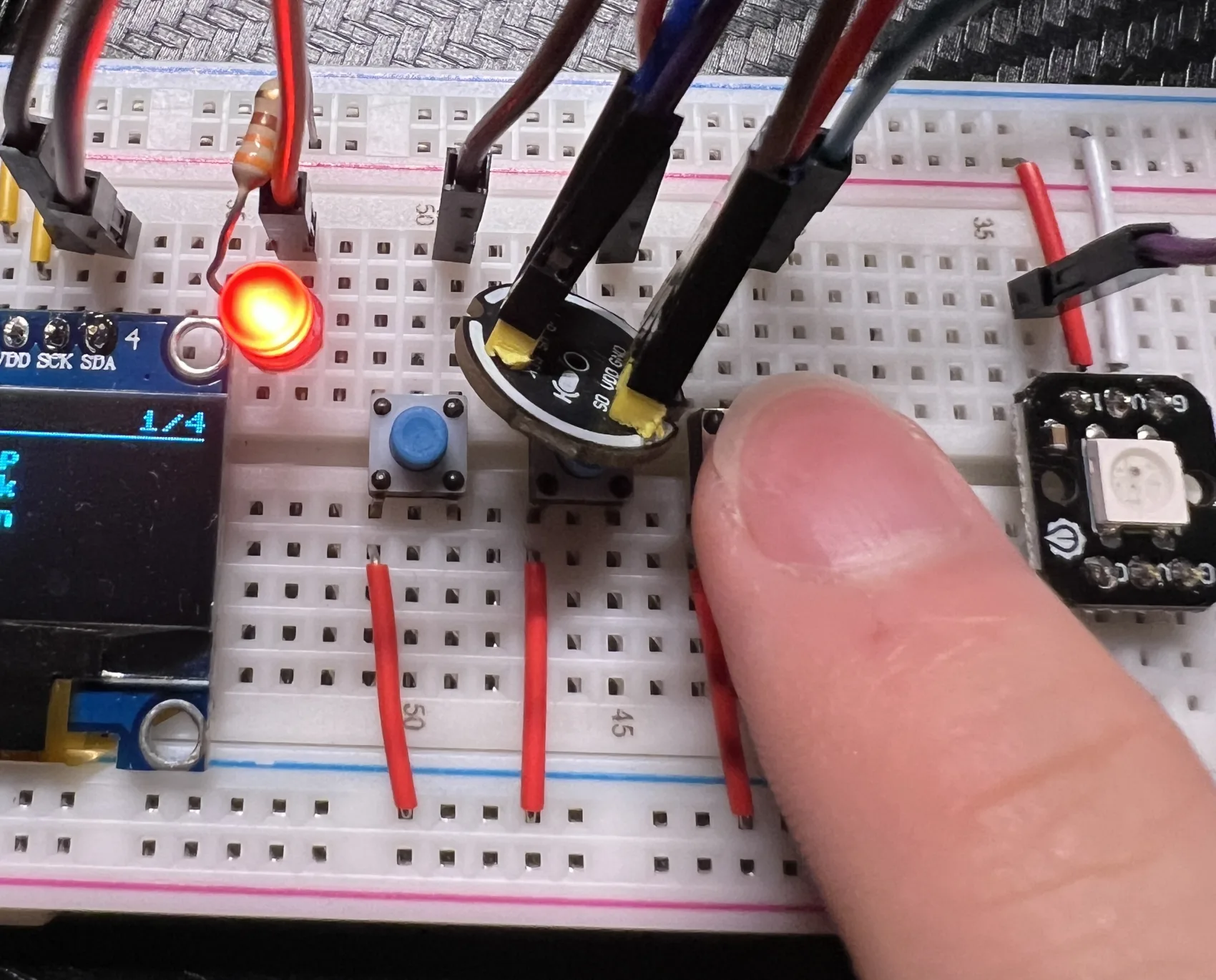
Everything hangs off a single ESP32-WROOM. Inputs on one side, outputs on the other, all sharing one non-blocking main loop so nothing ever stalls trigger detection.
docs/pinmap.md). The OLED and DF2301Q share one I2C bus.The LDR is a digital light module (sensitivity set on its own potentiometer), so there are no analog reads anywhere, which sidesteps the ESP32's ADC-versus-WiFi headache entirely. A red LED lights only while the microphone is capturing, as a recording indicator. A small SSD1306 OLED, driven by two navigation buttons, shows status and the last command across four pages. The DF2301Q wake-word module is wired into the design and its driver is written, but on the bench the push-to-talk button is the trigger I actually demo with.
The memory wall
This is the part I am proudest of, and it is invisible in a demo. The ESP32-WROOM has no PSRAM. With WiFi up, MicroPython left me roughly 33 KB of usable RAM, and a voice clip is about 96 KB. The audio literally does not fit in memory.
So nothing ever holds the whole clip. The microphone is one persistent, pre-warmed instance; the capture buffers are tiny and allocated lazily; and the upload is streamed over a raw socket as it is recorded (a preamble, the WAV header, then PCM sent chunk by chunk, then a tail). Peak memory during an upload is about 10 KB. Build one big bytes object instead and the garbage collector grabs a ~26 KB block from the same scarce heap that WiFi and the I2S microphone need, which starves the network stack and the upload times out.
I found the ceiling the hard way, with the OLED. A lean four-page status screen ships in the current firmware and boots happily. But when I made it richer (live-refreshing sensor values, a recording splash) that extra code alone grew the heap just enough to tip the board over at boot: it could no longer connect to MQTT (ENOBUFS) or open the microphone (ENOMEM). The lesson was precise. The OLED can live here as long as it stays small. To make room for everything else I also cut a real-time clock and clock-time schedules, so timers now run off a monotonic tick count instead of a wall clock and need no clock at all.
A room that runs itself
LUMEN is not only reactive. A lightweight auto-mode runs locally on the board: if it detects motion while the room is dark, it turns the white LED on, then off again after five minutes of stillness. If the temperature climbs above the comfort range, the fan switches on, with a small hysteresis gap so it does not chatter around the threshold.
Auto-mode and manual control coexist cleanly. Any spoken command immediately takes priority and clears the automatic state, so the system never fights you for control of a light you just set yourself.
Dashboard & deployment
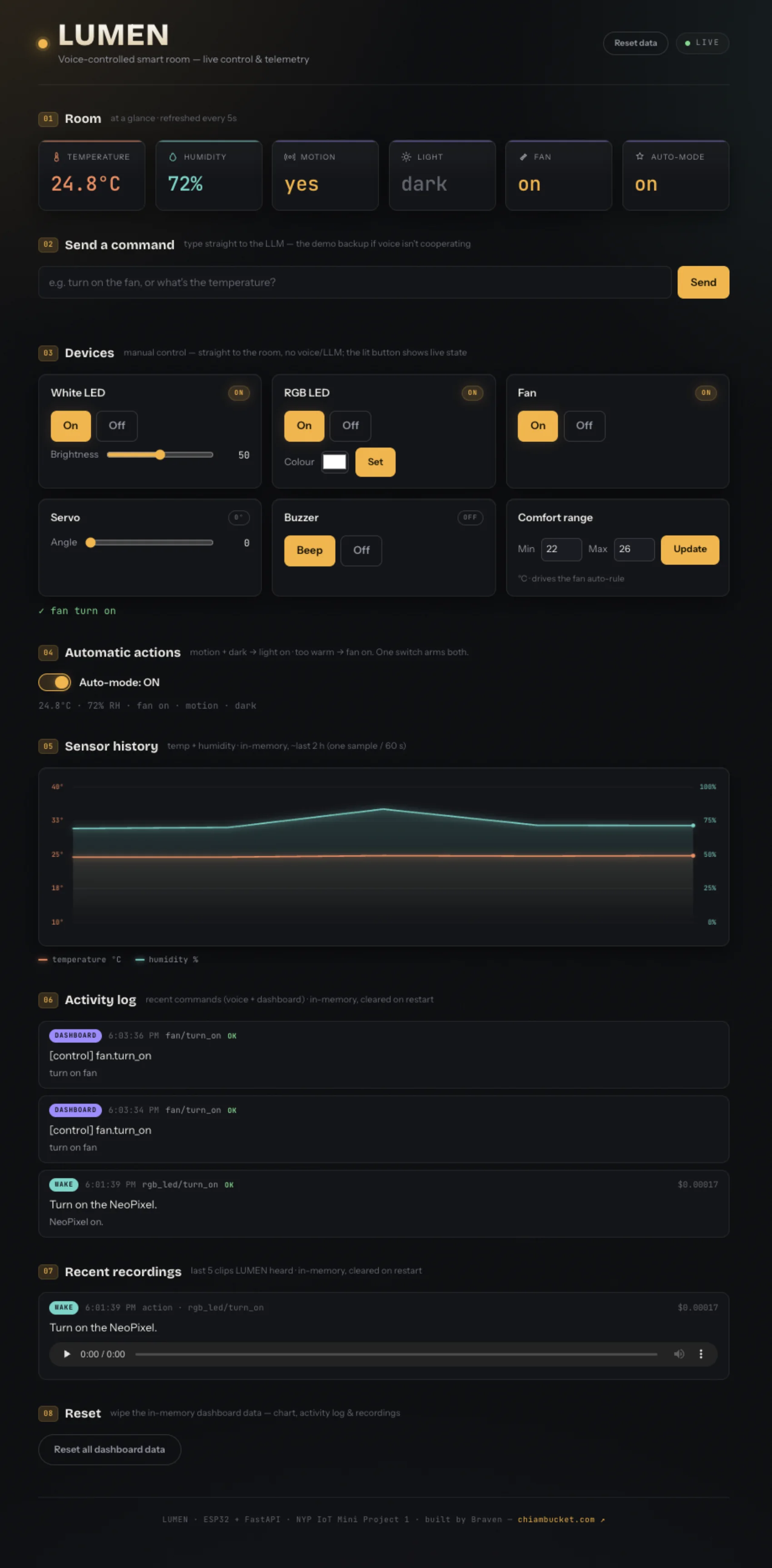
The server is a Dockerised FastAPI app, and it ships with a web dashboard. There is a device control panel (white LED, an RGB picker, fan, servo, buzzer, an auto-mode toggle and a comfort-range editor), a live state readout, a temperature and humidity history chart, an activity log of recent commands, a player for the last few voice recordings, and a text box that pipes straight into the same LLM path, which is my reliable backup if the microphone misbehaves during a live demo. A reset clears the chart, log and recordings.
It lives on my homelab behind Nginx Proxy Manager and Cloudflare, which front the dashboard at a clean HTTPS hostname. The MQTT broker is reached directly rather than through Cloudflare. The ESP32 itself only ever talks to a LAN address, never the public hostname, which keeps the firmware lean.
Slide deck
The full project presentation, the same deck I took into the module review. It walks through the brief, the pipeline, the memory work and the demo. Use the arrows to page through it, or open it fullscreen.
What I'd add next
Almost everything I cut comes back cheaply on an ESP32-S3 with PSRAM, which is the upgrade I would make first. The WROOM is genuinely at its ceiling streaming microphone audio while running WiFi and MQTT at once.
- A richer OLED — live-refreshing sensor pages and a recording splash, the variants I had to strip back to keep the lean screen that ships now.
- Clock-time schedules (“every day at 8 am”), which need a real-time clock I removed to save memory.
- Durable history so the dashboard's charts and the timers survive a reboot; today the last couple of hours live only in volatile RAM.
- Finishing the wake word on hardware so push-to-talk becomes the fallback, not the primary trigger.
LUMEN taught me more about memory discipline on a constrained device than any project before it. The AI was the easy, fun layer on top; making it run reliably on a board that could barely hold a single second of audio was the real engineering.